
Browse
Every lesson
50 lessons in 7 modules. Search for a topic or browse below. Find a starting point.
Module 1 · 6 lessons
Horn Construction
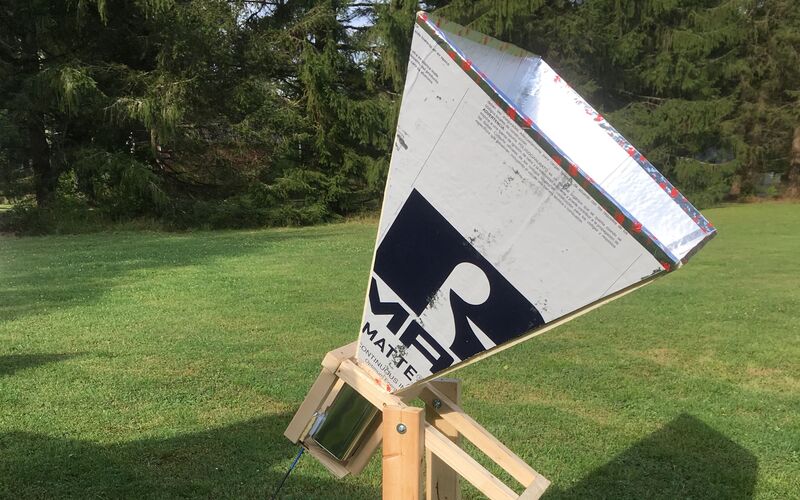
Foil-faced insulation board, aluminum tape, dimensional lumber, and a paint-thinner can for the throat. The finished stand is 75 cm across, so it fits through a classroom door.
-
What is Needed to Build a Horn Radio Telescope
Overview of the different parts of a horn telescope
-
Horn Construction Information
An overview of horn construction is described, with appropriate links
-
Horn and Can Assembly
Cut the horn panels, join the seams, and attach the can receiver.
-
Assemble the Can and Antenna
Prepare the metal can, solder the copper probe, and install the feedthrough connector.
-
Build the Cradle and Stand
Build the wooden cradle and base that support the horn telescope.
-
Module 2 · 5 lessons
Receiver Electronics
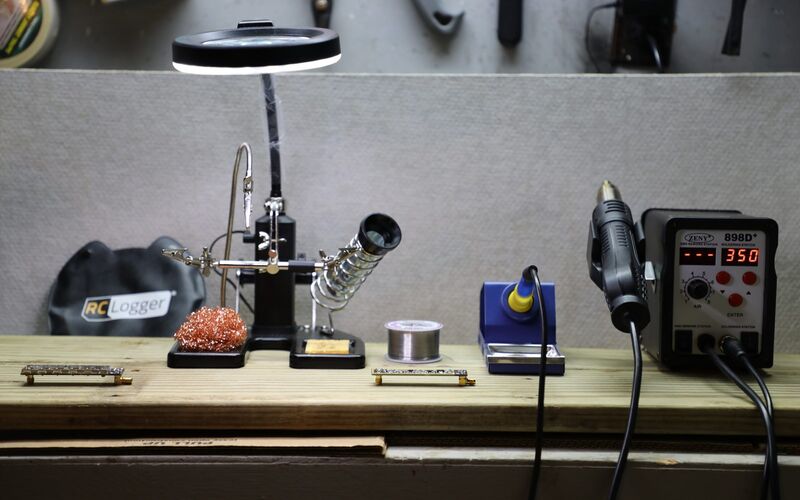
The amplifier affects telescope sensitivity. Take time to choose and assemble it carefully. Compare the DSPIRA board with ready-made options before ordering parts.
-
Low Noise Amplifier (LNA) Options
Options for obtaining an LNA
-
Detailed LNA Construction Instructions
LNA Soldering Instructions for Each Component
-
SDR Options
Software Defined Radio (SDR) options
-
Optional activity
PlutoSDR software Installation
Steps for installing the PlutoSDR software on your computer
-
Spectrometer Source Block Settings
Settings in spectrometer for different SDR's
Module 3 · 11 lessons
Software Setup
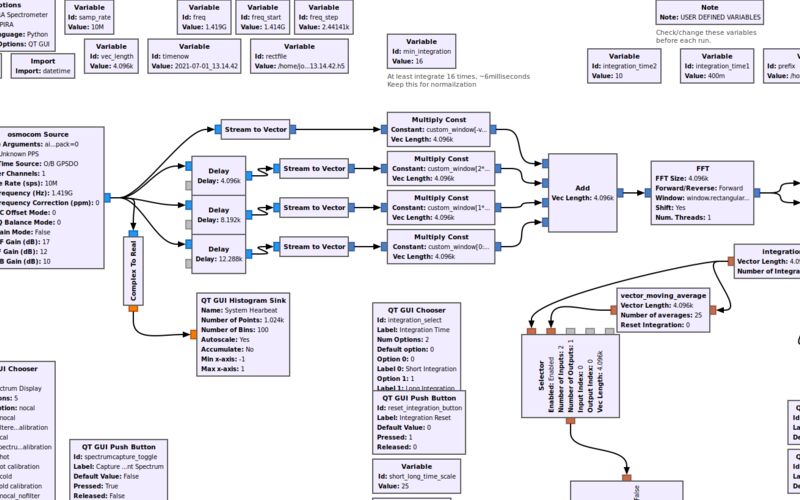
Ubuntu, GNU Radio, and the DSPIRA blocks. Review compatibility before choosing an installation route for your computer.
-
Computer and Software Needs for the Horn Telescope Spectrometer
Details on computer systems that can be used to operate the horn spectrometer
-
Steps for Installing Software on a Computer
Details of horn telescope software installation on a computer
-
The Command Line and Git
The handful of Linux commands and git steps the rest of these lessons assume you already know
-
Installing Ubuntu
Details for partitioning a hard drive and installing Ubuntu OS on a Windows computer
-
Installing Ubuntu 22.04 with spectrometer_w_cal.grc on Bootable Flashdrive
Instructions for copying the Ubuntu/spectrometer_w_cal image on a bootable flashdrive
-
Installing GNU Radio
Details for installing GNU Radio
-
Installing DSPIRA Software
Install the telescope applications and their processing blocks together.
-
Optional activity
Historical GNU Radio 3.8 Setup on Ubuntu 20.04
Recover the older combined package for an existing GNU Radio 3.8 environment.
-
Build a Simple Spectrometer
Introductory GNU Radio lessons are presented along with steps for building a simple spectrometer
-
-
Optional activity
Download and Install WVURAIL Radio Astronomy OS for Raspberry Pi
Step by Step instructions for downloading and installing Radio Astronomy Operating System for Raspberry Pis.
Module 4 · 8 lessons
Observing
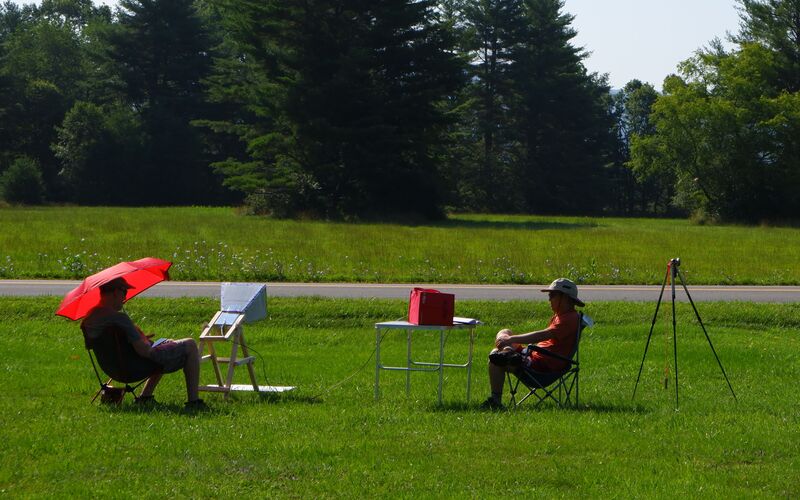
Set up and calibrate your telescope, record spectra, and analyze observations of the Milky Way.
-
What is a Horn Telescope?
Overview of what makes up a horn telescope and what it detects
-
What Can a Horn Telescope Measure?
An overview of what a horn telescope detects
-
Setting up the Telescope
Details on setting up the telescope for use
-
Horn Telescope Spectrometer Description
Description of the calibrated-spectrometer.grc program features
-
Running the Calibrated Spectrometer
Instructions on how to use the calibrated-spectrometer.grc program in GNU Radio
-
How to Calibrate the Horn Telescope
The procedure for calibrating the telescope using the calibrated spectrometer is outlined.
-
Observations - Mapping the Sky and Measuring the Rotation Curve
Reduce the data your telescope produces - a drift map of the sky, and the rotation curve of the Milky Way
-
Optional activity
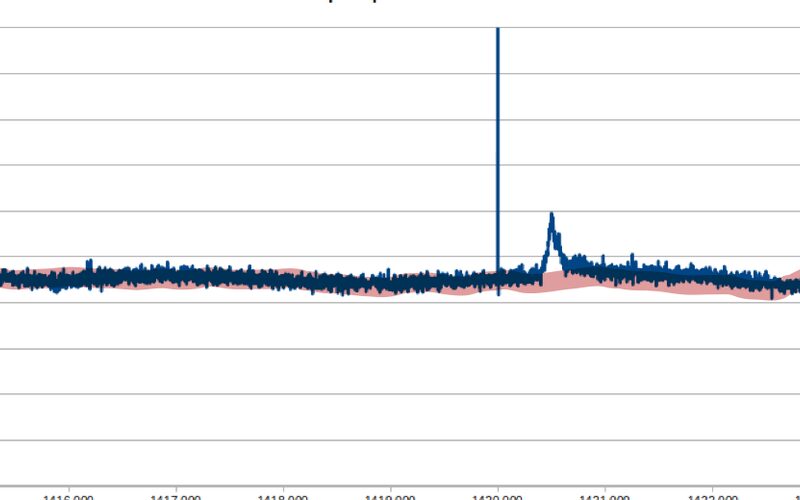
Setting Up a 2 Horn Interferometer
Details of setting up 2 horns for doing interferometry
Module 5 · 8 lessons
Digital Signal Processing
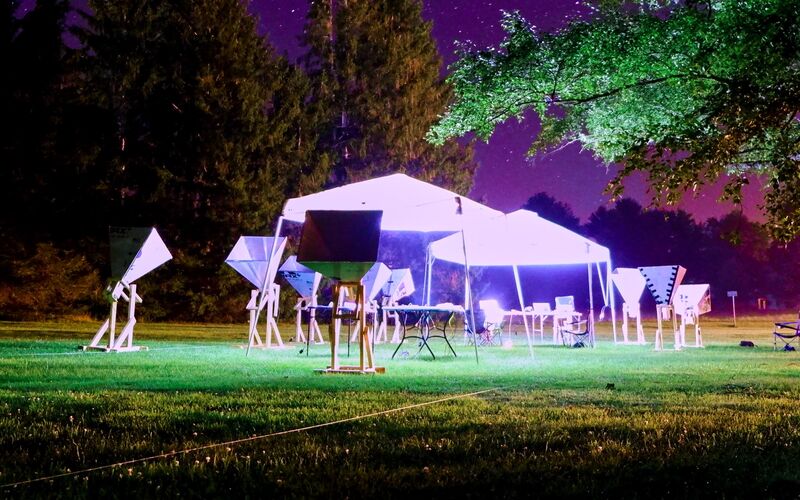
Six labs build a GNU Radio spectrometer one block at a time. Topics include sampling, Fourier analysis, filters, and correlation. Correlation turns two horns into an interferometer.
-
Digital Signal Processing Lectures and Demonstrations
A deep dive into Digital Signal Processing through a series of lectures and demonstrations
-
Making Waves with Fourier Series
Students make complex waves by adding various sine cosine waves
-
Digital Signal Processing using GNU Radio - Introductory Lab
Build your first GNU Radio flowgraph and explore signals, sampling, and sound.
-
Digital Signal Processing using GNU Radio - Software Defined Radio
Connect a radio receiver and investigate amplitude modulation, frequency modulation, and FM reception.
-
Digital Signal Processing using GNU Radio - Fourier Analysis
Build signals from sine waves and explore their Fourier transforms.
-
Digital Signal Processing using GNU Radio - Digital Filter
Design digital filters and compare their effects on signals and noise.
-
Digital Signal Processing using GNU Radio - Fourier Analysis and Radio Astronomy
Use I/Q signals, Fourier transforms, and window functions to build a radio spectrometer.
-
Correlation and the Two-Element Interferometer
Convolution, autocorrelation and cross-correlation, and why two horns see what one cannot
Module 6 · 8 lessons
Astronomy
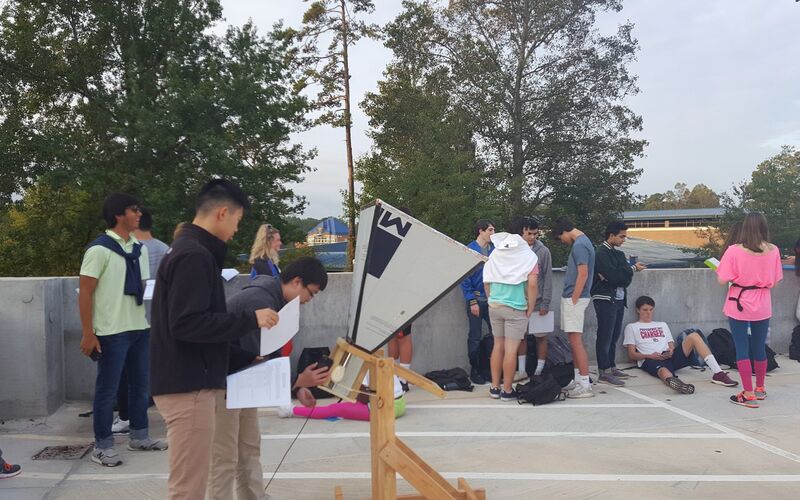
The part it is all for. Learn where to point and how hydrogen appears at 21 cm. Use a rotation curve to investigate dark matter.
-
The Milky Way Galaxy
The Radio Horn works best with the Milky Way, so let's learn about it
-
Astronomy Activity : Understanding Celestial Coordinate Systems
A quick introduction to different coordinate systems used in astronomy
-
Tools for Observational Astronomy
The Radio Horn works best with the Milky Way, so let's learn about it
-
How Fast Are We Moving?
Exploring how fast we are moving in the Milky Way Galaxy
-
Measuring the Earth's Speed around the Sun
This is a multi-activity lesson leading towards measuring the Speed of the Earth around the Sun
-
Determining a Velocity Curve of the Milky Way Galaxy
Instructions and handouts for determining a velocity curve of the MWG
-
-
Astronomy Lecture Recordings
The astronomy lectures from the DSPIRA summer institute - six recordings and the slides - and where to read further
Module 7 · 4 lessons
Community Labs
Schools, clubs, and students extend the curriculum with their own hardware. Projects cover cosmic rays, motorized mounts, and comparisons with published measurements.
-
Optional activity
Cosmic rays and radio, at the WISRD lab
A student group running the horn telescopes alongside a cosmic ray detector, looking for radio from air showers
-
Optional activity
Is the telescope good enough for the public?
A WVU undergraduate tested the DSPIRA design against published values to see whether it holds up outside a classroom
-
Optional activity
A hydrogen line project at PhysicsOpenLab
An independent write-up of a 21 cm hydrogen line receiver, published as project documentation
-
Optional activity
Somebody motorized a horn telescope
An independent Instructables build that borrowed the DSPIRA horn design and put it on a motorized mount